

Natural face shaping
Eyes, nose, mouth, V-line jaw and double chin. 68 landmarks per face keep each change where it belongs, on every face in the frame.
Fotoreto
Batch-edit a whole shoot, remove blemishes and objects, open RAW. Nothing to install, photos never leave your device.
Every edit runs on your own device. No server ever sees your photos.
Open the page and start editing. No account, no photo limit.
Sony, Canon, Nikon, Fujifilm, Olympus, Panasonic and DNG. On desktop it edits the 16-bit RAW data directly.
Edit one photo, sync it to the whole shoot, export in one go.
Exposure and colour are balanced photo by photo, then one look is applied to hundreds of shots.



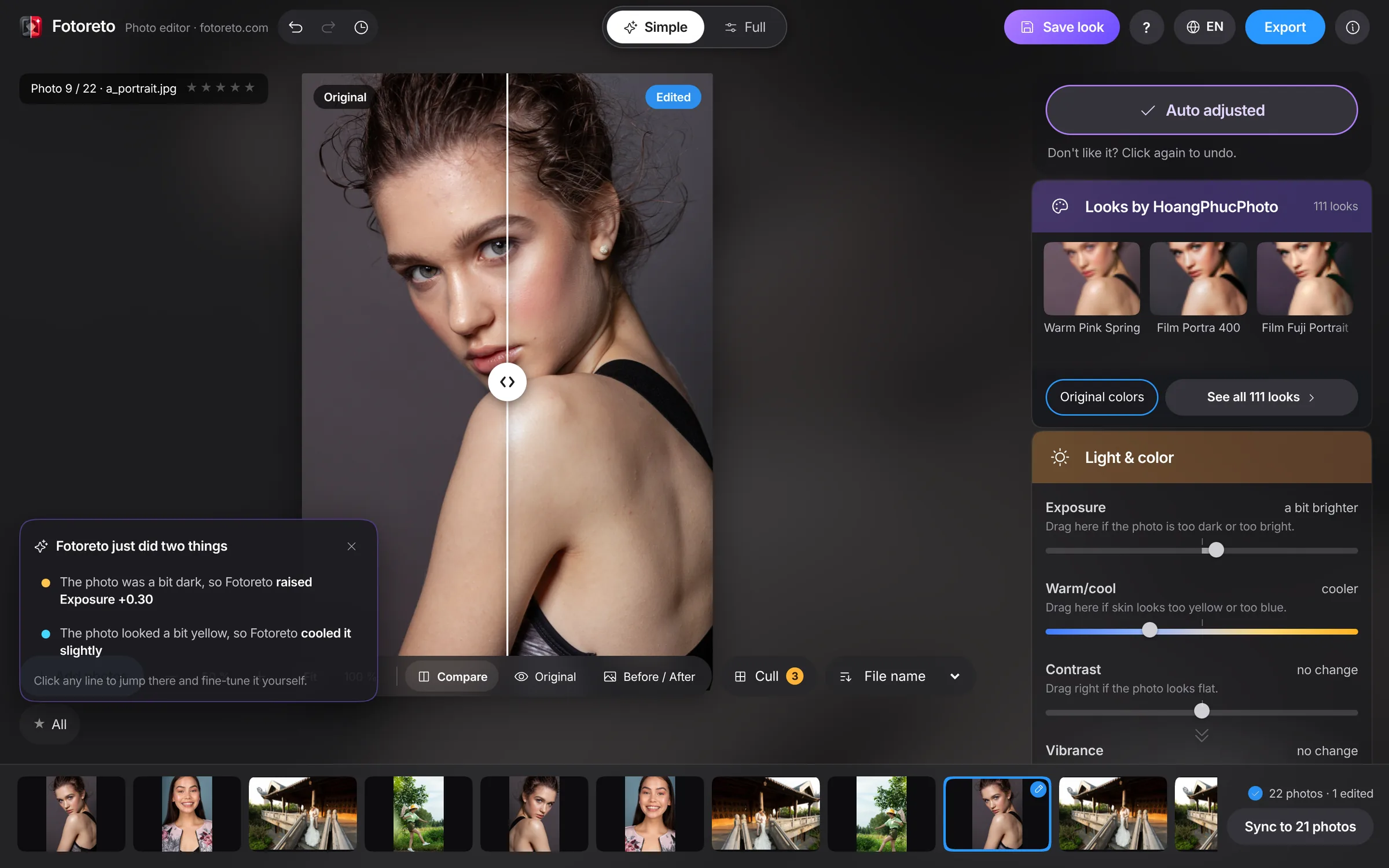
One button fixes exposure and white balance, then tells you in plain words what it changed.
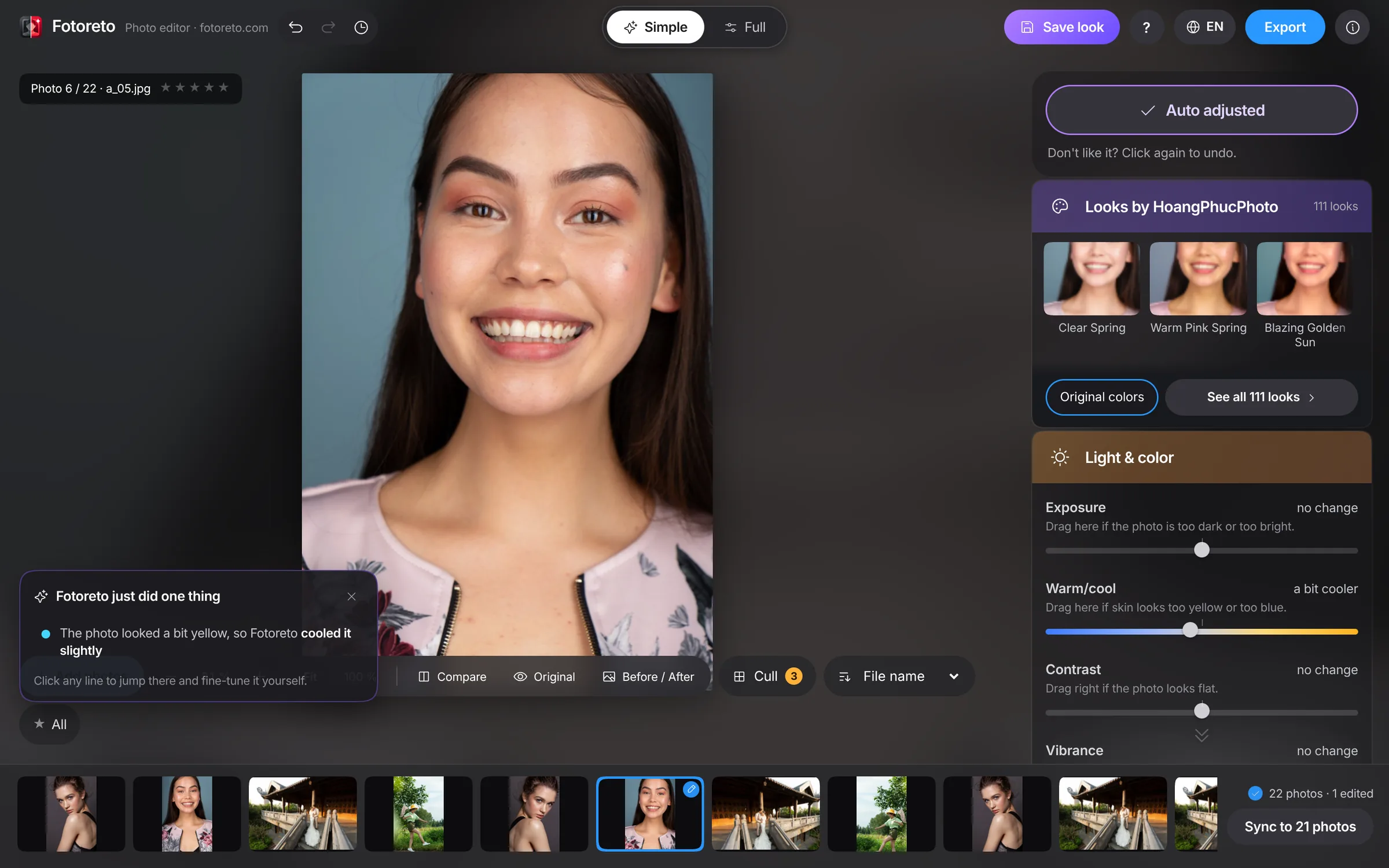
Built for people who have never edited a photo, not just for pros.
Brightness, warmth, vividness. Every slider says in one line what it does.
After an auto fix you get a list of what changed. Tap a line to jump straight to that setting.
Beginners start in Simple mode. Switch to Full when you want every control.
The first time you open the app, a short tour points out each button. Replay it any time.
Face-aware smoothing that keeps texture, even skin tone, and an automatic face lift for backlit shots.
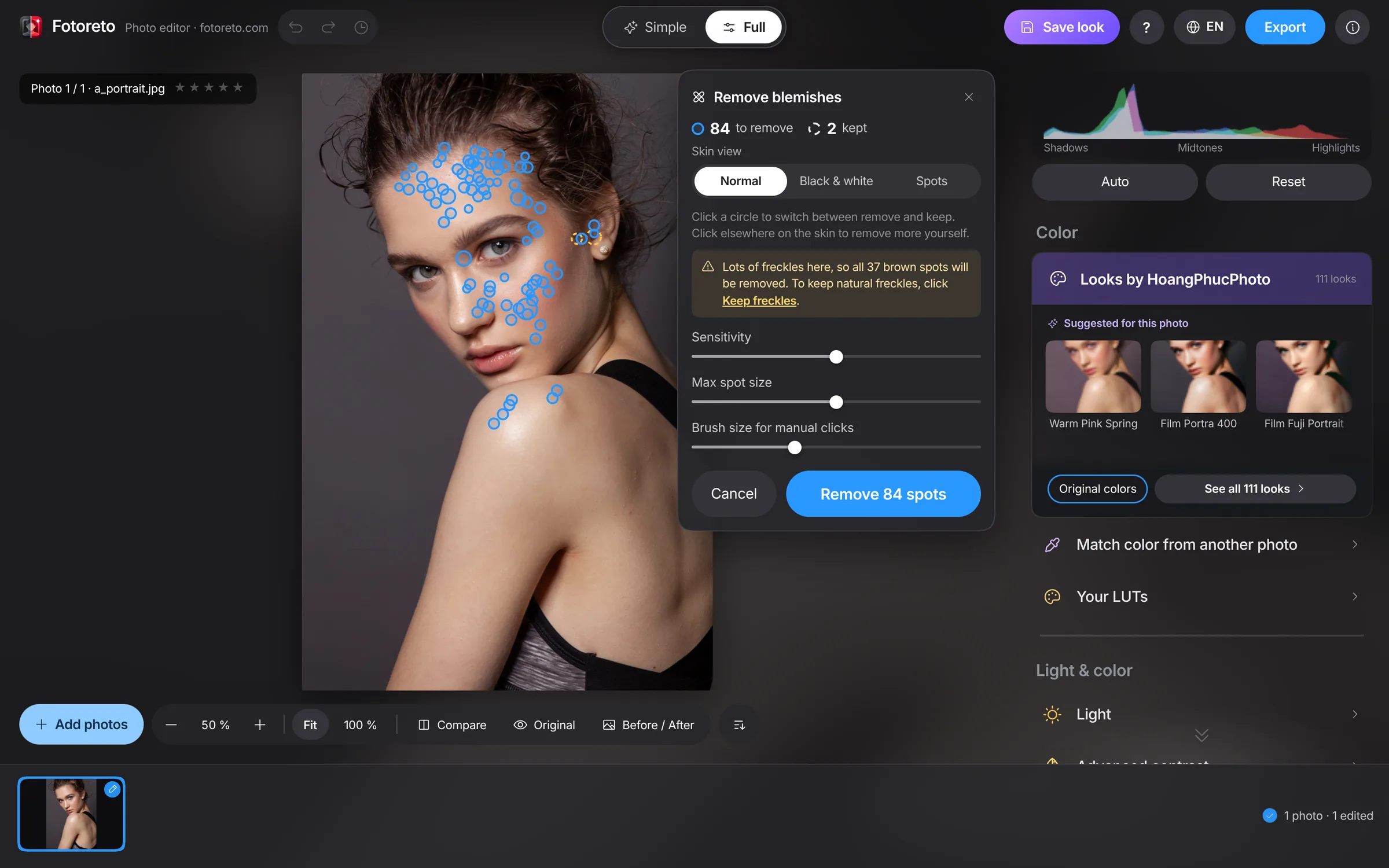
Every spot is circled, moles and freckles are left alone. Click a circle to keep it, click skin to remove more.
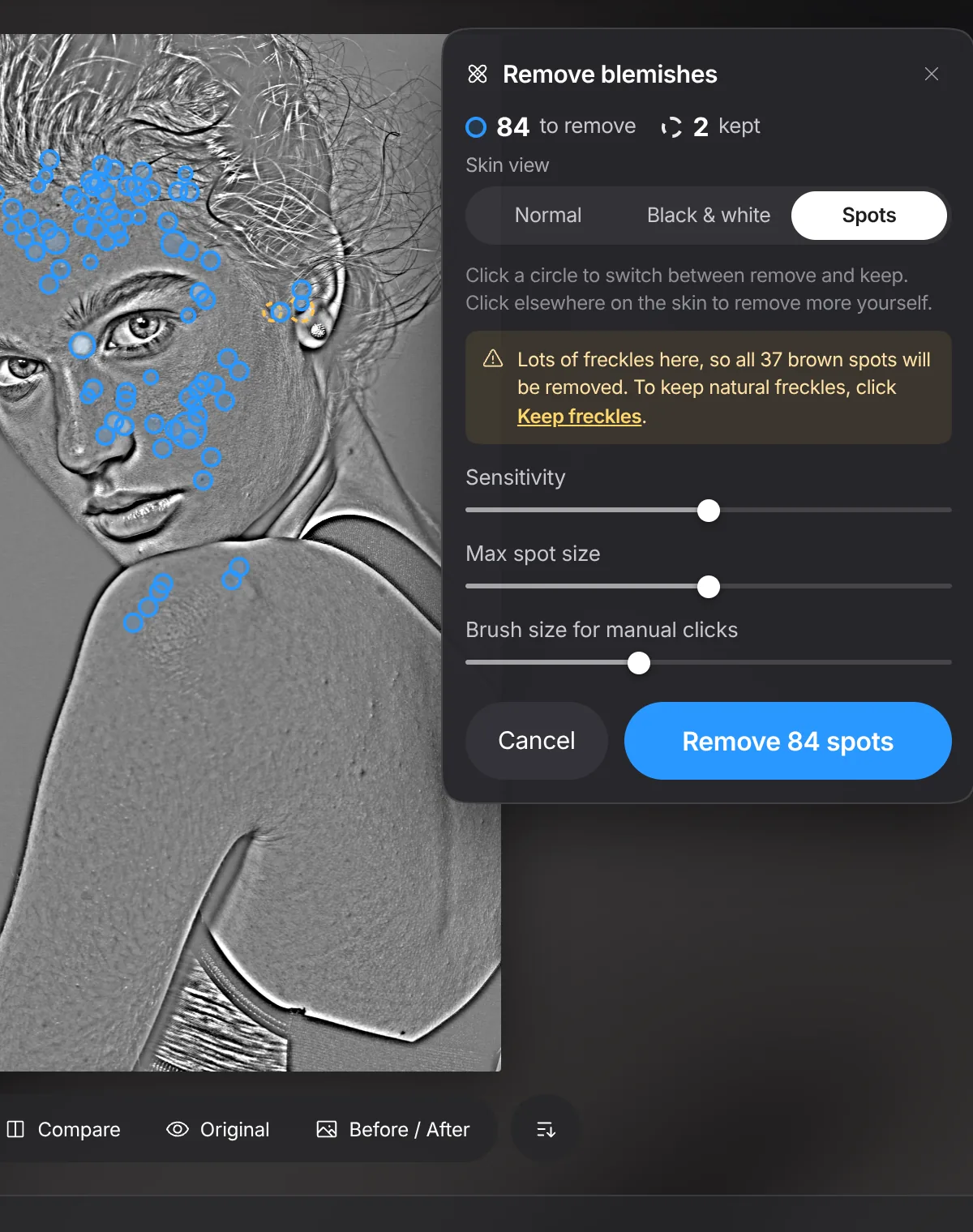
Switch to high-contrast black and white or a frequency-separation view to see every spot. On screen only, never in your export.
The app fills the spot from its surroundings. Want to pick the source yourself? Switch to Healing or Clone, just like Lightroom.


Bigger eyes, slimmer nose, sharper jaw, no double chin, following every face automatically. Lengthen legs, liquify and fill thinning hair with a brush.
Eyes, nose, mouth, V-line jaw and double chin. 68 landmarks per face keep each change where it belongs, on every face in the frame.
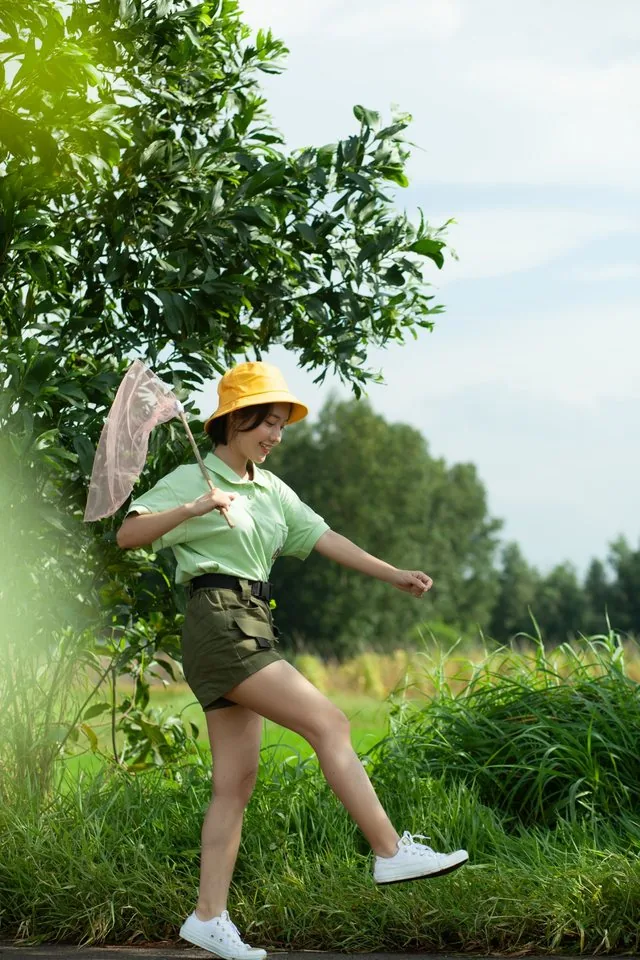
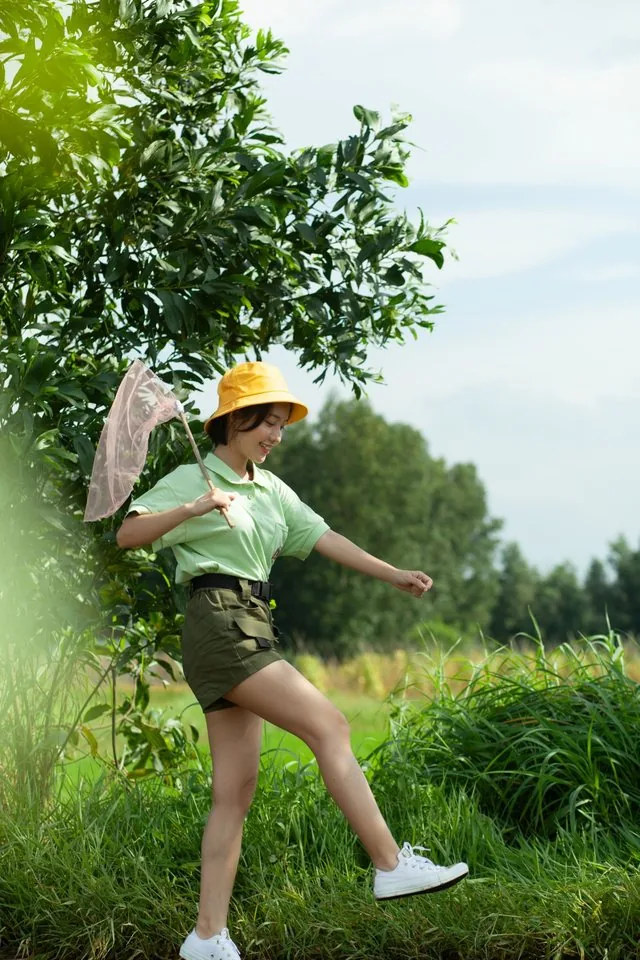
Drag two lines to the hips and ankles, then move the slider. Legs get longer, head and body stay put.
Push in a waistline, slim an arm, smooth a fold. Each brush session is one undo step.
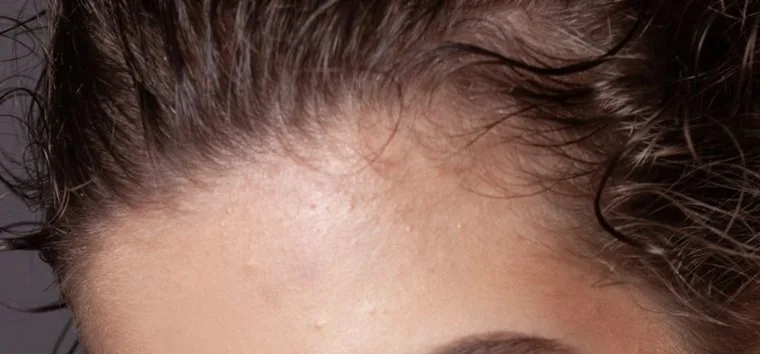
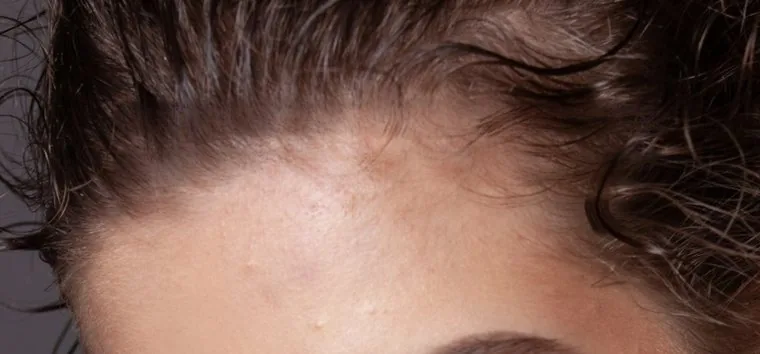
Paint over a thin patch or a visible parting. Nearby hair colour fills the gaps.
Duplicates, blur, camera shake, focus that missed the face or the subject, and closed eyes get flagged. You make the call.
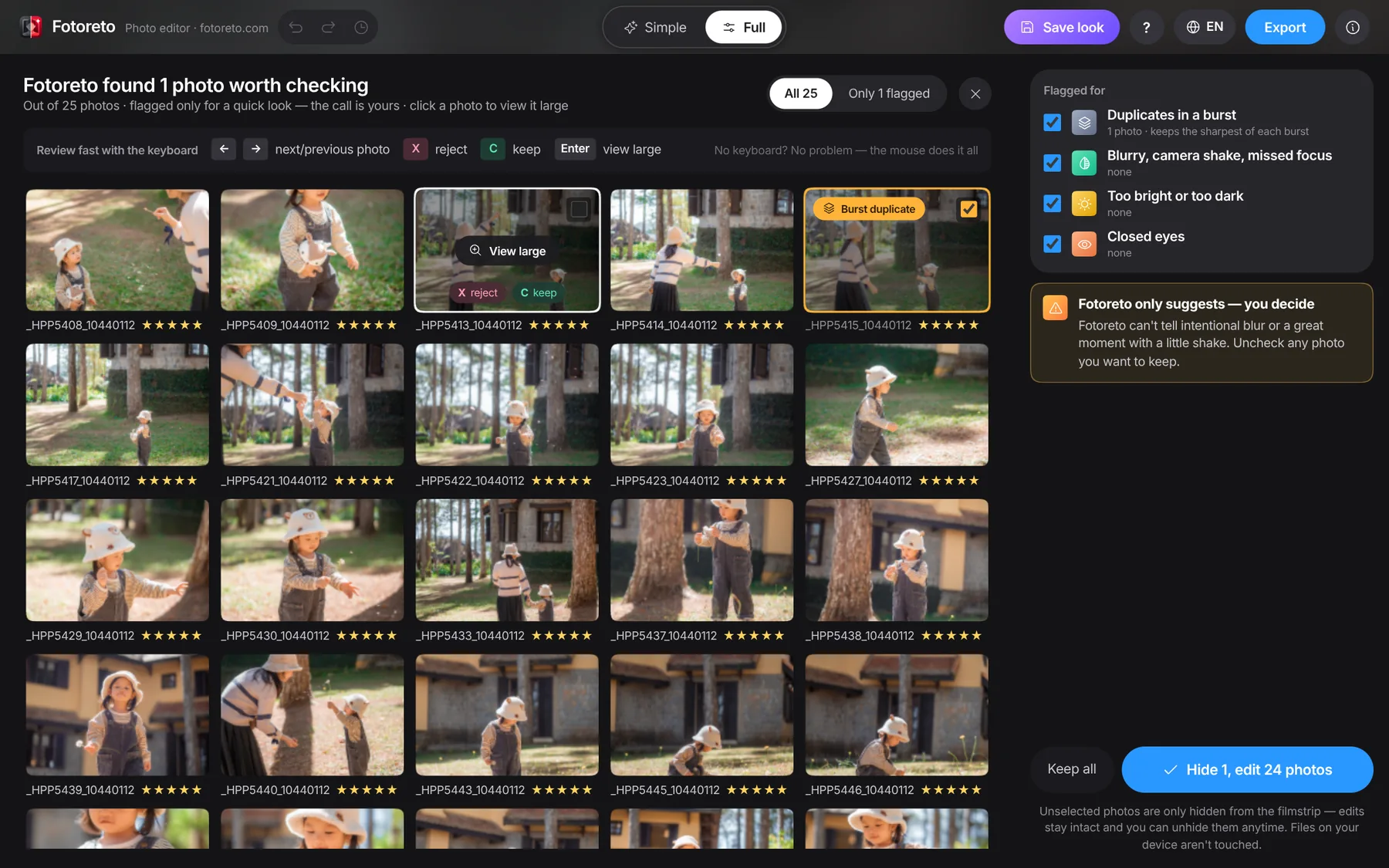
From import to sharing.
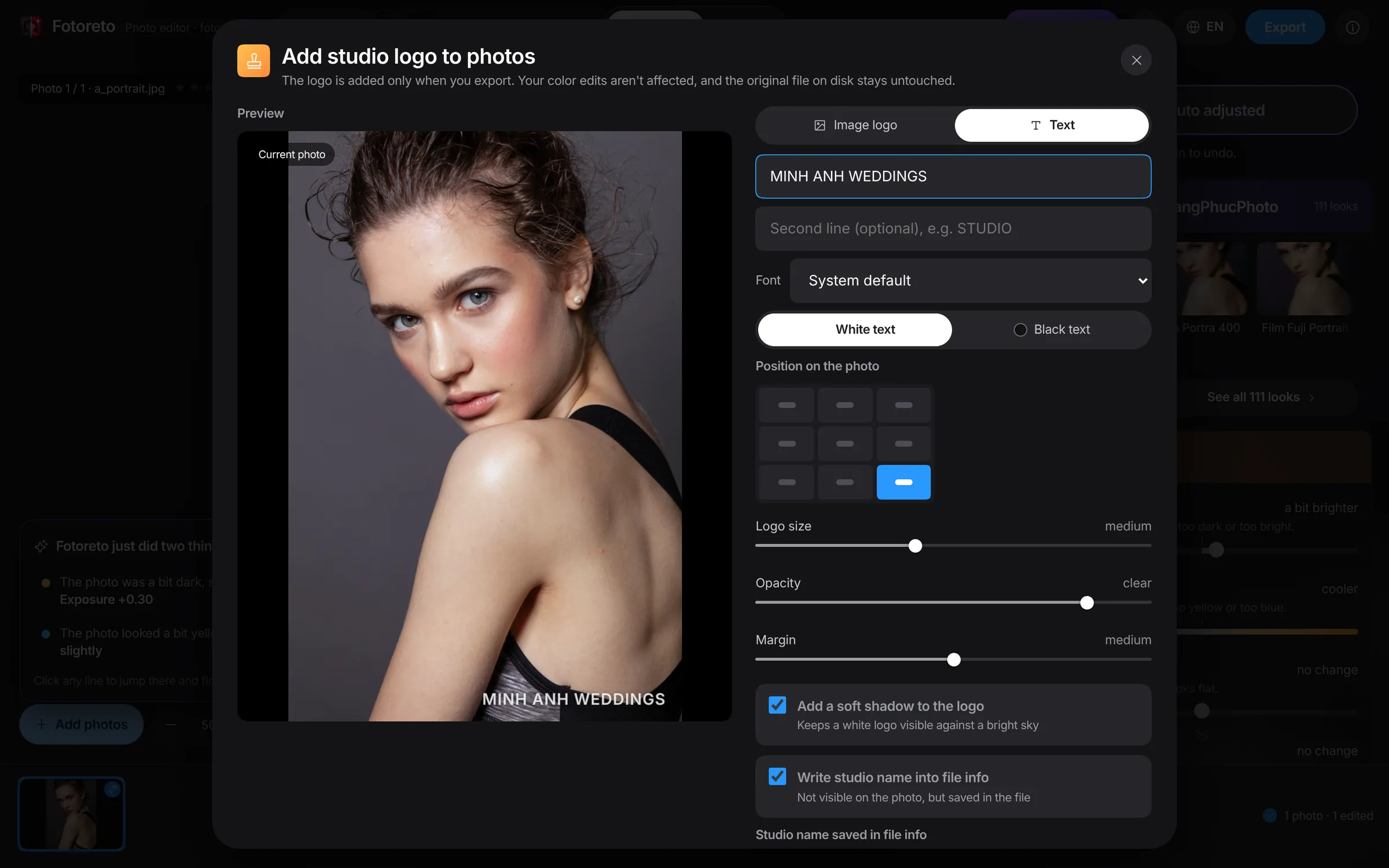
Image or text logo, sized consistently on portrait and landscape frames.
It does not replace everything those apps do. But to edit a whole shoot quickly and share it, you need no subscription and no install.
| Fotoreto | Lightroom | Capture One | |
|---|---|---|---|
| Price | Free | Adobe subscription, monthly or yearly | Paid |
| How you use it | Open a browser, phones too | Install an app; the web version needs a sign-in | Install an app |
| Account | Not needed | Adobe account required | Account needed to activate |
| Your photos | Stay on your device, never uploaded | Lightroom Classic keeps them local; Lightroom syncs them to Adobe’s cloud | Stay on your device |
No uploads, no cloud storage. Every edit runs inside your browser and keeps working offline.
Back from a trip and want to post a few shots right away? Open the browser on your phone and edit and export just like on desktop.
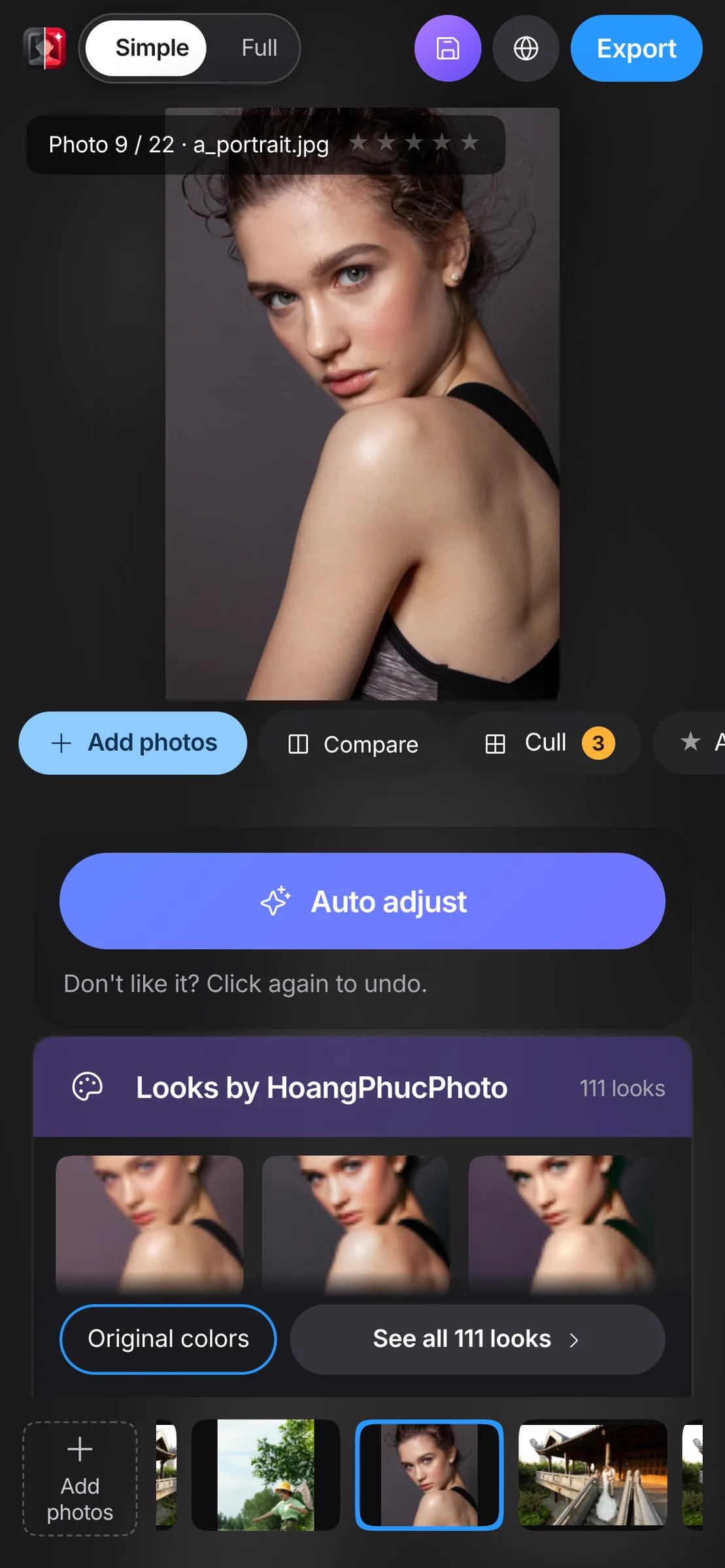
One file or a whole folder, RAW included. The first photo opens right away while the rest load.
Use the auto fix or pick a look, then sync it across the shoot.
Choose a purpose, add your logo if you like. Files land straight in a folder.
For editing a whole shoot quickly it is, and it is free: exposure and colour, looks, sync, blemish and object removal, export with a watermark. If you manage years of photos in a catalog or shoot tethered, Lightroom is still the better fit.
Fotoreto opens RAW files from Sony, Canon, Nikon, Fujifilm, Olympus, Panasonic and DNG, edits the 16-bit RAW data directly on desktop, costs nothing and never uploads your photos.
Paint over the object and the app fills it with the surrounding texture, preferring what sits behind the object. Not happy with the result? Press Try another fill. It never invents things that are not in the photo.
The editor interface is in Vietnamese today. An English interface is on the way.
Yes. One click balances exposure and colour, every slider is explained, and a short guide walks you through on first launch.
Yes. Fotoreto is free, needs no account and has no photo limit.
No. Photos are read and edited on your device. After the first visit it works offline too.
JPEG, PNG, HEIC, WebP, TIFF and RAW files from Sony, Canon, Nikon, Fujifilm, Olympus and Panasonic, plus DNG.
Yes. Camera, lens and exposure data are kept. GPS location is removed to protect your privacy.
Come back and press Continue to reopen the same photos with all your edits.
Chrome or Edge on desktop give the full experience: export straight to a folder and automatic session restore. Other browsers edit just the same and download files one by one or as a ZIP.

Opens instantly. Nothing to install, nothing to sign up for. Interface in Vietnamese for now.