Get Fotoreto
Fotoreto is a web app: you install it straight from your browser, with no app store and no .exe or .dmg to download. Once installed it has its own icon like any app, opens full screen and updates itself.
Free, no account needed. Photos are processed on your device, never uploaded.
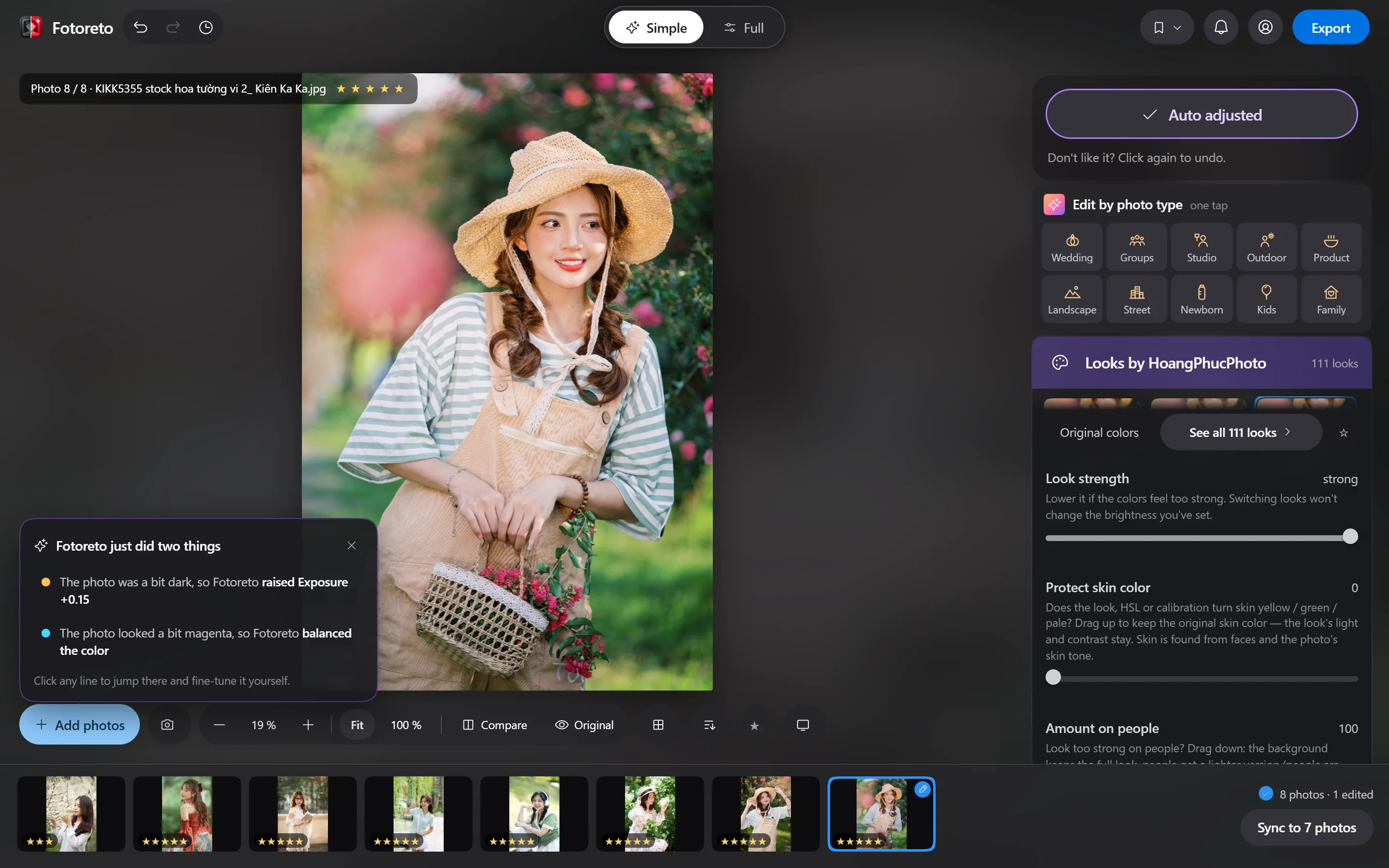
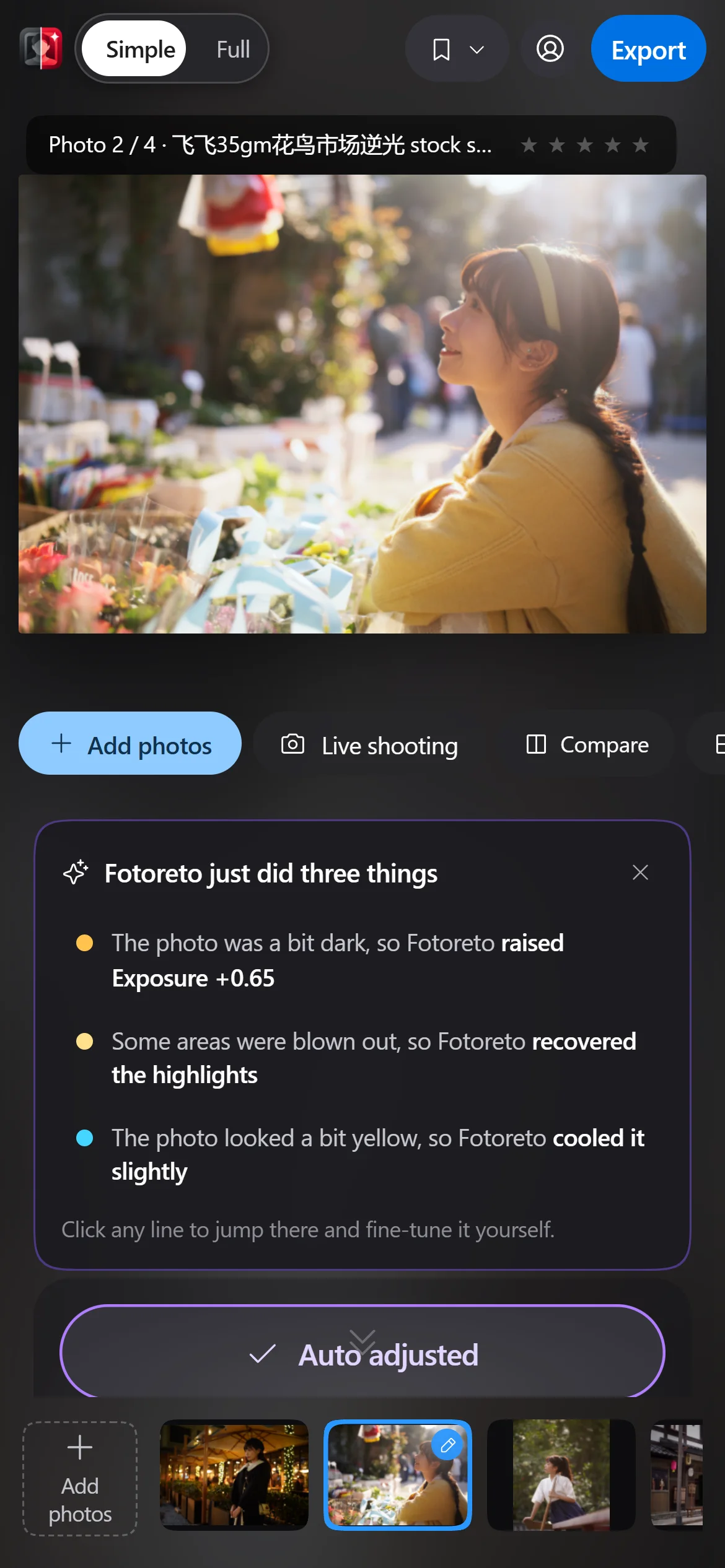
Works on every device
The same app and the same tools on phones, tablets and computers.
Phones
iPhone and Android phones. Edit with your fingers and save straight to Photos or your gallery.
Safari, Chrome on iPhone · Chrome, Samsung Internet on Android
Tablets
iPad, Android tablets and foldables. The big screen makes editing and culling comfortable, in landscape or portrait.
Safari, Chrome on iPad · Chrome on Android
Windows PCs
Windows 10 and 11. Save straight into the folder you choose, reopen unfinished edits, use shortcuts and a second screen.
Chrome, Edge (recommended) · Firefox
Macs
MacBook, iMac, Mac mini, Apple silicon or Intel. Handles large RAW files smoothly using your Mac’s graphics.
Chrome, Edge (recommended) · Safari, Firefox
AI noise reduction runs only on computers whose graphics card supports WebGPU. Every other tool works on every device.
Internet the first time, offline after that
-
First launch: online
The app saves about 85 MB of libraries to your device (RAW and HEIC reading, face detection, person masks). Wi-Fi is best. This happens only once.
-
After that: offline
Opening the app, adding photos, editing, culling and saving all work without internet, on phones and tablets too. Great on location, on the road or on a plane.
-
Online again: updates itself
When a new version is out, the app downloads it in the background and asks you to tap Reload. Nothing to reinstall.
What still needs internet
- Signing in, buying Premium, entering an invite code.
- The first use of AI object removal (about a 100 MB model) and AI noise reduction (about 60 MB). Once downloaded, they work offline.
- Syncing looks to your account and downloading presets bought at the store.
- Premium keeps working offline; it needs internet at least once every 7 days to confirm your plan.
How to install
Open https://app.fotoreto.com/?lang=en in your browser and follow the steps for your device. Menu names can differ slightly between browser versions.
iPhone, iPad (Safari)
- Open Safari and go to https://app.fotoreto.com/?lang=en.
- Tap the Share button (the square with an up arrow).
- Scroll down and choose Add to Home Screen.
- Tap Add. The Fotoreto icon appears on your home screen.
iPhone, iPad (Chrome)
- Open Chrome and go to https://app.fotoreto.com/?lang=en.
- Tap the Share button in the address bar.
- Choose Add to Home Screen, then tap Add.
Android phones and tablets
- Open Chrome and go to https://app.fotoreto.com/?lang=en.
- Tap the three-dot menu at the top right.
- Choose Install app (or Add to Home screen).
- Tap Install. Fotoreto appears in your app list.
Windows, Mac (Chrome)
- Open Chrome and go to https://app.fotoreto.com/?lang=en.
- Click the Install icon at the end of the address bar (a screen with a down arrow).
- Click Install. Fotoreto opens in its own window with an icon in the taskbar, Start or Launchpad.
Windows, Mac (Edge)
- Open Edge and go to https://app.fotoreto.com/?lang=en.
- Click the three-dot menu and choose Apps.
- Choose Install this site as an app, then click Install.
Mac (Safari)
- Requires macOS Sonoma 14 or later.
- Open Safari and go to https://app.fotoreto.com/?lang=en.
- Choose File, then Add to Dock.
- Click Add. Fotoreto gets its own icon in the Dock.
Uninstall it like any other app. Your photos and edits stay on your device; to remove everything, clear the site data for https://app.fotoreto.com/?lang=en in your browser settings.
What you need
- Browser
- Recent Chrome, Edge, Safari or Firefox (needs WebGL 2, which almost every device since 2017 has).
- iPhone, iPad
- iOS / iPadOS 15 or later. For large RAW files, a device with 6 GB of RAM or more is best.
- Android
- Android 9 or later with a recent Chrome.
- Computer
- Windows 10, 11 or macOS. For many RAW files at once, 8 GB of RAM or more.
- Storage
- About 85 MB for the libraries, plus more if you use the AI features. Your photos are not copied.
Installation questions
Is there an .exe installer for Windows or a .dmg for Mac?
You don’t need one. Installing from the browser as above gives you a real app window with its own icon in the taskbar or Dock, just like an app installed from a file.
Is Fotoreto on the App Store or Google Play?
Not yet. Install it straight from Safari or Chrome on your phone as shown above, with every feature of a store app.
Can I use it without installing?
Yes. Open https://app.fotoreto.com/?lang=en in your browser and start editing. Installing only makes it quicker to open and gives it its own icon.
Can I edit photos without internet?
Yes, once you have opened the app online one time. Opening the app, adding photos, editing, culling and saving all work offline, even on your phone.
Are my photos uploaded anywhere?
No. Photos are read and edited right on your device. If you sign in, the server only knows your account and Premium plan.
How do updates work?
Automatically. When you are online, the app downloads the new version in the background and asks you to tap Reload. No reinstalling.
Can I use it on my phone and computer at the same time?
The free plan works on any device. Premium works on 1 device at a time; signing in on another device signs the old one out.
Open Fotoreto on this device now.
Try it in your browser first, then install it with the steps above if you like it.