Fotoreto vs Lightroom: what's different and which to choose

Adobe Lightroom is the editor most photographers know. Fotoreto is a photo editor that runs in the browser, made in Vietnam. This is a straight comparison: where Lightroom is stronger, where Fotoreto fits better, and when to use both.
Lightroom details are based on Adobe's official pages at the time of writing (October 2026). Prices and features change, so check Adobe's site before buying.
At a glance
| Fotoreto | Adobe Lightroom | |
|---|---|---|
| How you use it | Open in the browser, nothing to install; can be added to your home screen like an app | Install (Lightroom Classic, Lightroom) or use the web version |
| Devices | Windows, Mac, phones, tablets | Windows, Mac, phones, tablets |
| Cost | Most tools free; Premium $12.99 / year or $19.99 for life | Adobe subscription billed monthly (Lightroom or Photography plan) |
| Where photos live | On your device, never uploaded | Lightroom Classic: on your computer. Lightroom: synced to Adobe's cloud |
| AI masks | Subject, Background, Person, person parts, Sky, Object | Subject, Background, People, person parts, Sky, Objects… |
| Portrait retouching | Auto blemish removal, skin tone evening, face shaping, body reshaping, hair fill | Healing brush, skin masks; reshaping needs Photoshop |
| Library management | Per session, no long-term catalog | Strong catalog: keywords, collections, search across years |
How you use it
Lightroom comes in two versions: Lightroom Classic for desktop, keeping photos and the catalog on your computer, and Lightroom, which syncs photos through the cloud across desktop, mobile and web. Both need an Adobe account.
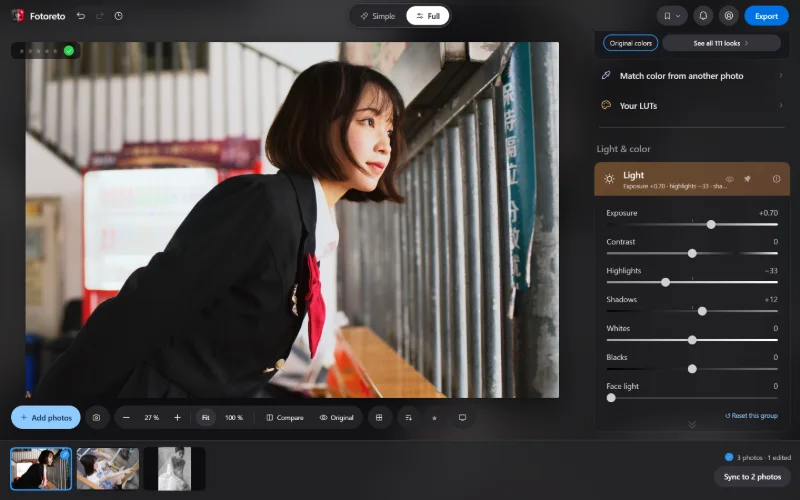
Fotoreto opens in the browser: share a link and anyone can use it, nothing to install, no account for the free plan. The first visit needs the internet; after that it opens offline too. On phones Fotoreto has its own layout with a 7-tab bar at the bottom, a big photo and swipe to change photos.
Cost
Lightroom is a subscription: billed monthly (usually with an annual commitment); stop paying and you lose the editing tools. The Photography plan includes Photoshop.
Fotoreto is free for most tools: light, color, curves, HSL, masks, skin smoothing, blemish removal. Premium is $12.99 for a year or $19.99 for life, paid once, never auto-renewed. See Pricing.
AI masks: now on par
Automatic masks keep many people on Lightroom. Fotoreto now has a similar set: Subject, Background (behind subject), Person, person parts (Hair, Facial skin, Body skin, Clothes, Lips, Teeth, Eyebrows, Eye whites, Irises), Sky and Object (click an object or drag a box around it).
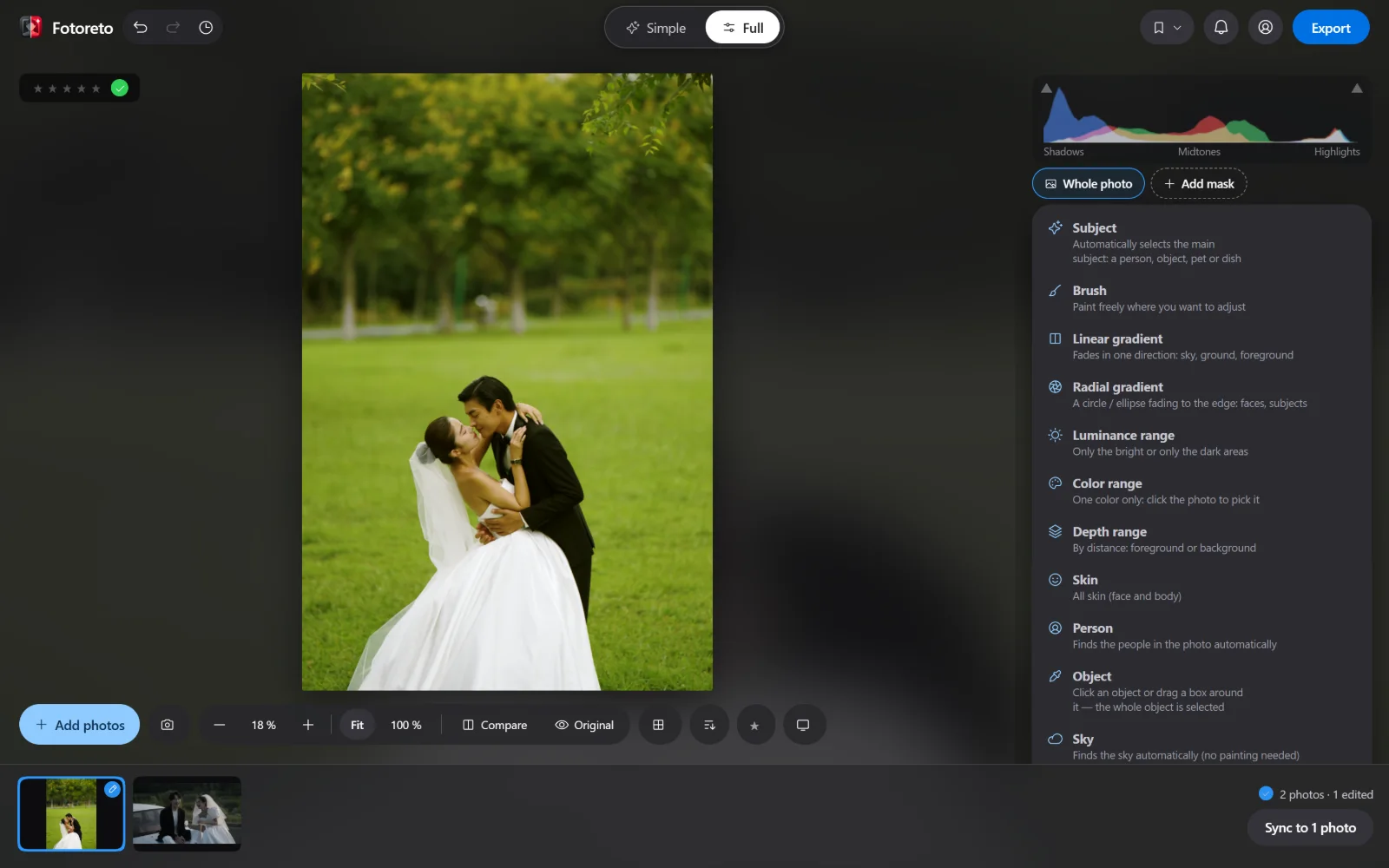
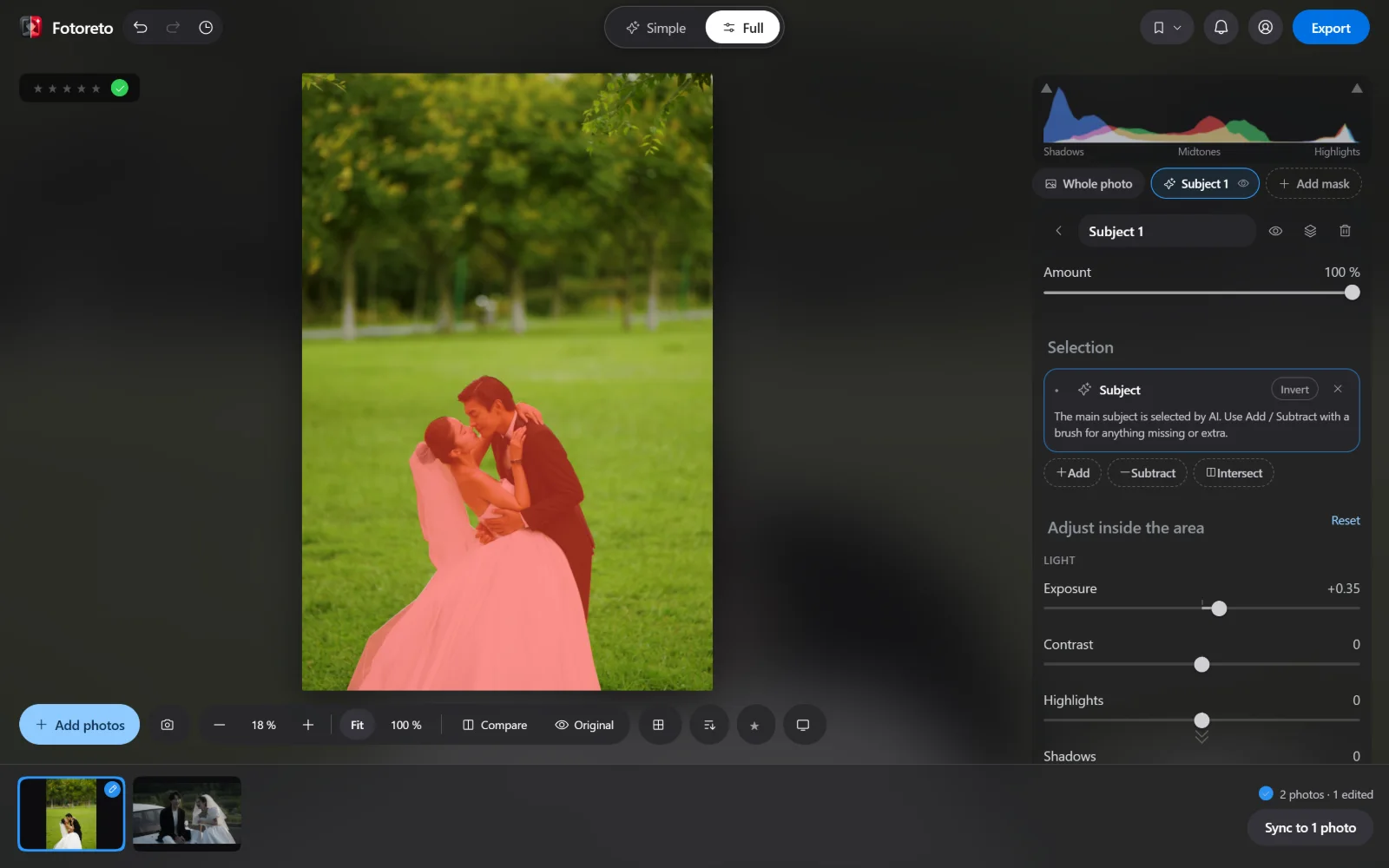
Fotoreto's masks are free. The AI models run on your device and the photo goes nowhere. On a computer, Subject and Object use a large model for better accuracy; on phones the app uses a lighter method.
Portrait retouching: Fotoreto goes further
Lightroom is mainly a color tool; serious retouching usually means a trip to Photoshop. Fotoreto is made by a retoucher and has portrait tools built in:
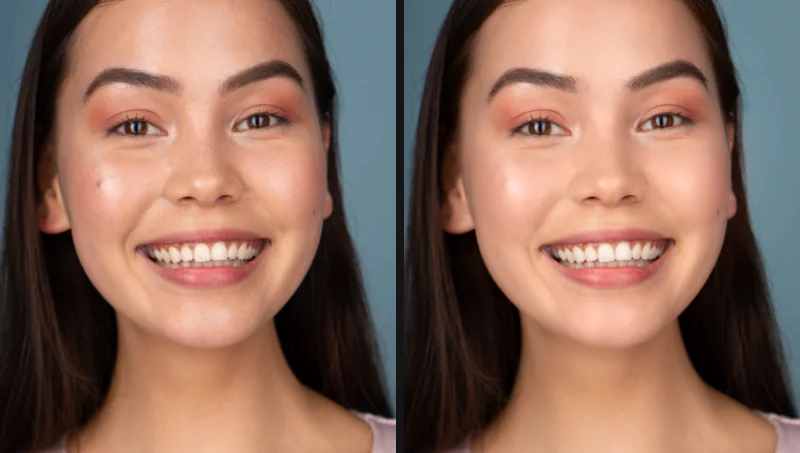
- Remove blemishes: the app circles each spot for you to review; keep moles or freckles if you like.
- Smooth skin that keeps pores, even skin tone, Bright Rosy Skin, Brighten eyes, Whiten teeth.
- Face shaping, body reshaping, leg lengthening, hair fill for thin spots (Premium) — things Lightroom doesn't do.
Batch editing and culling
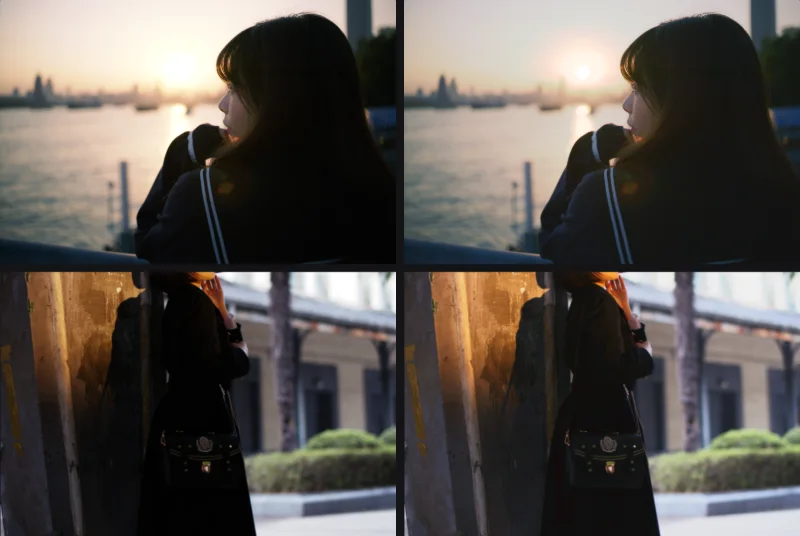
Both let you edit one photo and sync it across a shoot. When Fotoreto syncs, it also recalculates each photo's exposure, so slightly dark and slightly bright frames end up with the same tone.
Fotoreto has Cull (Premium): it flags blurry, shaky and missed-focus frames, duplicates and closed eyes so you can review quickly before editing.
Already have Lightroom presets? Import the .xmp files into Fotoreto and use them right away (Premium), including presets with AI masks. The other way round, looks made in Fotoreto export as .xmp and .cube LUTs.
Where Lightroom is stronger
To be fair, here is what Lightroom currently does better:
- Long-term library management: catalog, keywords, collections, search across tens of thousands of photos over years. Fotoreto works session by session: open, edit, export.
- The Adobe ecosystem: round trips to Photoshop, third-party plugins, cloud sync between devices.
- Brand-new cameras: Adobe usually adds RAW support for new cameras early. Fotoreto reads RAW from the major brands; if a just-released camera isn't supported yet, convert to DNG with the free Adobe DNG Converter.
Which should you choose?
- Choose Lightroom if you manage a large library over many years, work a lot in Photoshop and don't mind a monthly subscription.
- Choose Fotoreto if you want to pay once and keep it, edit a lot of portraits and need fast retouching, want to work on any device (a borrowed computer, a phone), or want photos to stay on your device.
- Use both: many photographers keep Lightroom for the library and use Fotoreto to cull, retouch and deliver fast. Lightroom presets import straight into Fotoreto, so your style comes along.
Try Fotoreto for free: no account, RAW or JPEG.