Open and edit RAW files online (ARW, CR3, NEF, RAF, DNG), no install
RAW files hold far more data than JPEGs, but they are awkward to open: your computer cannot preview them, your phone cannot either, and anyone you send them to has to install software. This guide shows how to open and edit RAW files right in your browser with Fotoreto, then export photos ready to post or deliver.
Which RAW files open
| Brand | File extension |
|---|---|
| Sony | .ARW |
| Canon | .CR3, .CR2 |
| Nikon | .NEF |
| Fujifilm | .RAF |
| Olympus | .ORF |
| Panasonic | .RW2 |
| Adobe and many other cameras, phones included | .DNG |
Besides RAW, Fotoreto opens JPEG, PNG, HEIC (iPhone photos), WebP and TIFF. You can drop a whole folder with mixed file types at once.
Step 1: Drop the RAW files into your browser
Open Fotoreto in Chrome, Edge, Safari or Firefox and drag your RAW files (or a whole folder) into the window. The first photo shows up right away while the rest load in the background. The info line on the photo shows the file name and what kind of data you are editing.
Nothing is uploaded: the browser reads and edits the files on your device. After the first visit, it keeps working offline.
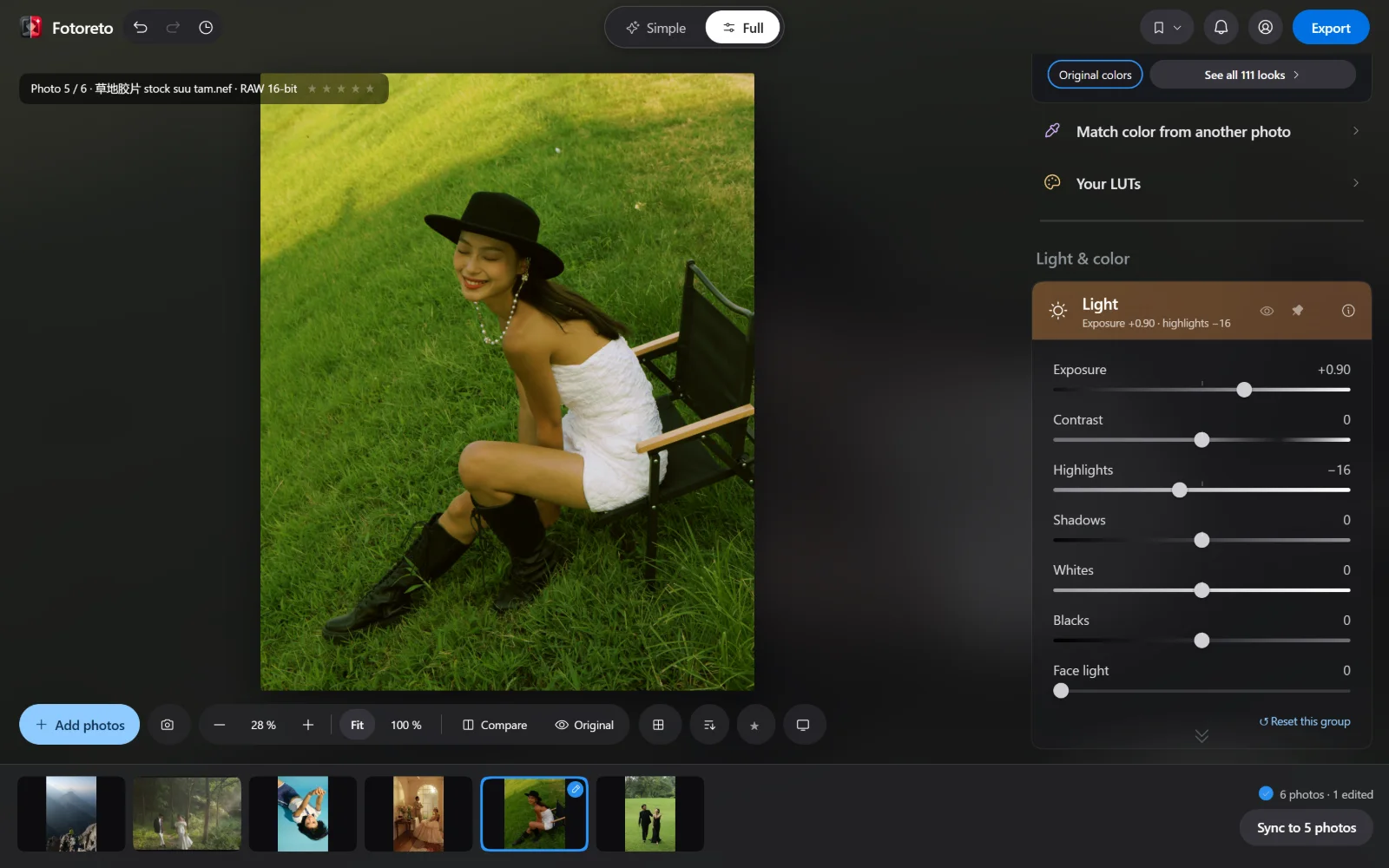
Step 2: Embedded JPEG or 16-bit RAW data
Every RAW file carries a small JPEG made by the camera. There are two ways to edit:
- The free plan edits that embedded JPEG. It is fast and fine for social media, but blown highlights cannot be pulled back much.
- Premium edits the 16-bit RAW data itself: highlight detail comes back (sky, sun, white dresses), shadows lift with less banding, and gradients are smoother.
When you export, the Export dialog tells you whether it is saving from the embedded JPEG or from the RAW data, and lets you switch right there.
Step 3: Adjust light and color
Click Auto adjust: the app balances exposure and color and tells you what it did, for example raising Exposure and pulling down Highlights. In Full mode, the Light group has Exposure, Contrast, Highlights, Shadows, Whites and Blacks; the Color group has temperature in Kelvin and Tint, plus a tone curve, HSL and three-way color grading like Lightroom.
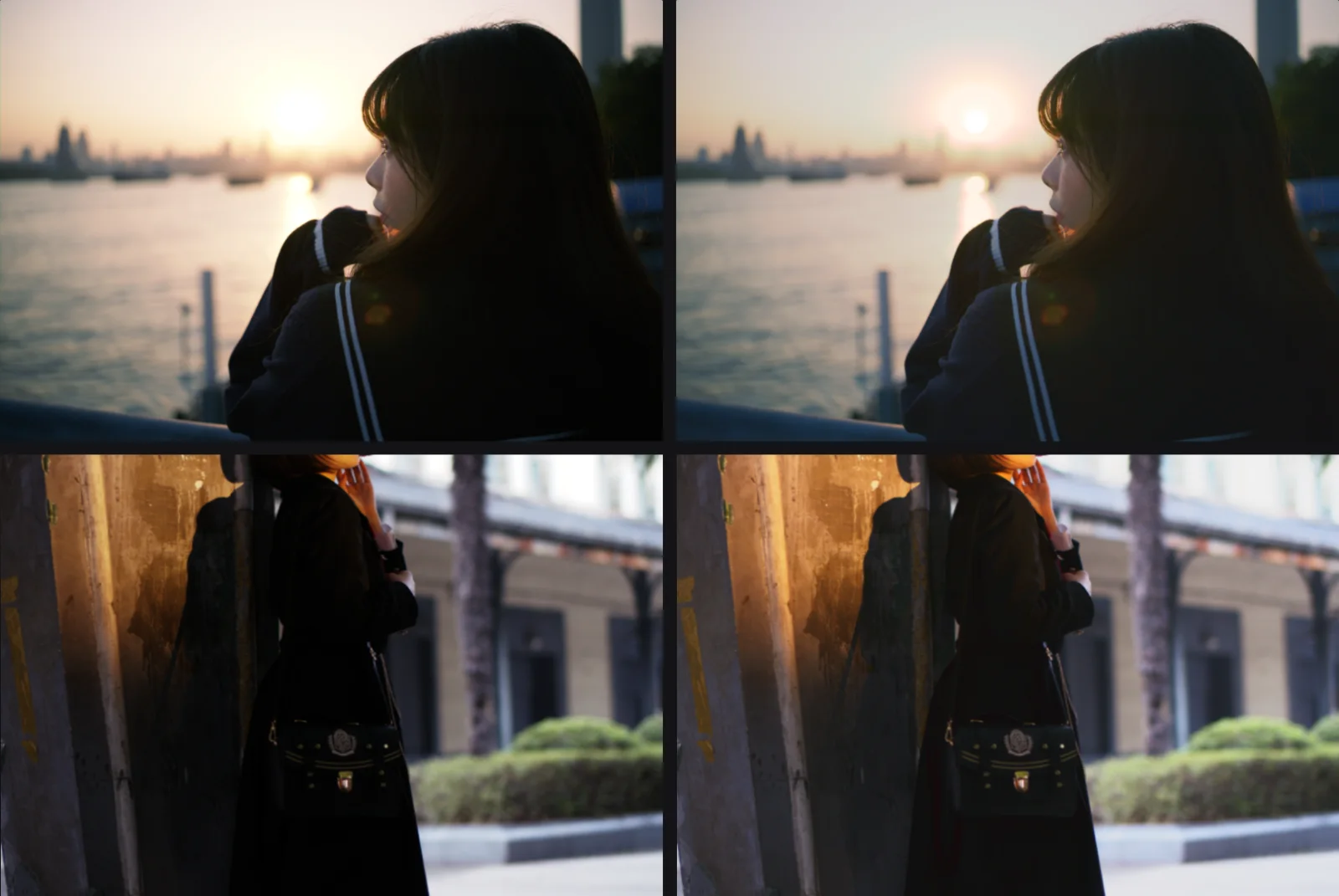
The two photos below are RAW files shot at sunset (Fujifilm .RAF) and in the shade (Sony .ARW). Only Auto adjust was used, on the 16-bit RAW data:
In the sunset frame, the hair and jacket regain detail while the sun does not blow out any further. That is the data a JPEG throws away.
Step 4: Export
Click Export and choose what the photos are for (social media, print, delivery to a client). Exported photos keep the camera, lens and shooting settings and drop GPS location. In Chrome or Edge on a computer, photos are saved straight into the folder you pick; other browsers download them one by one or as a ZIP file.
Editing a whole RAW shoot? Edit one photo and sync it to the rest (see batch photo editing online).
Common questions
Can I open RAW files on my phone? Yes, Fotoreto runs in mobile browsers. RAW files are heavy, so a computer is faster, especially with many photos.
Does Fotoreto change my RAW files? No. It only reads the originals; your edits live in the app and exports are new files.
Can I use Lightroom presets? Premium imports Lightroom .xmp and .lrtemplate presets; the free plan can add .cube LUTs.
Open your RAW files in Fotoreto: nothing to install, and no account needed for the free plan.