A Lightroom alternative with no subscription
Fotoreto edits whole shoots in your browser: 16-bit RAW, AI masks, batch sync, and your own Lightroom presets. Start free. When you need more, pay $19.99 once and keep it.
No install, no account for the free plan. Your photos stay on your device.
Why people look for a Lightroom alternative
Lightroom is excellent software, but it only comes as a monthly Adobe subscription. Stop paying and you lose the editing tools. Over a few years, you pay for the same app again and again.
Pay once. Own it. Fotoreto goes back to the old deal: you buy the tool once and it's yours. No subscription and no auto-renewal.
Fotoreto vs Lightroom at a glance
| Fotoreto | Adobe Lightroom | |
|---|---|---|
| Pricing | Free to start. Premium $12.99 / year or $19.99 lifetime, never auto-renews | Monthly Adobe subscription |
| Install | Nothing to install: runs in Chrome, Edge, Safari | Install Lightroom Classic or Lightroom (web version also available) |
| Devices | Windows, Mac, iPad, phones | Windows, Mac, iPad, phones |
| Where photos live | On your device, never uploaded | Classic: on your computer. Lightroom: synced to Adobe's cloud |
| AI masks | Subject, Background, Person, person parts, Sky, Object, included free | Subject, Background, People, Sky, Objects |
| Portrait retouching | Auto blemish removal, skin smoothing, face and body shaping | Healing and skin masks; reshaping needs Photoshop |
| Lightroom presets | Import .xmp and .lrtemplate (Premium) | Native |
Lightroom details from Adobe's pages at the time of writing (October 2026). Check adobe.com for current plans and prices.
Bring your Lightroom presets with you
Your style comes along. Import your .xmp and .lrtemplate presets and profiles into Fotoreto and use them right away, including presets with AI masks. You can also go the other way: looks made in Fotoreto export as .xmp and .cube LUTs.
Batch editing that respects every frame
Edit one photo and sync it across the whole shoot. When Fotoreto syncs, it also recalculates exposure and white balance for each photo, so a slightly dark frame and a slightly bright frame end up with the same tone. No manual fixes frame by frame.
Before you edit, Cull flags blurry, shaky and missed-focus shots, duplicates and closed eyes, so you only edit the keepers.
AI masks, free and on your device
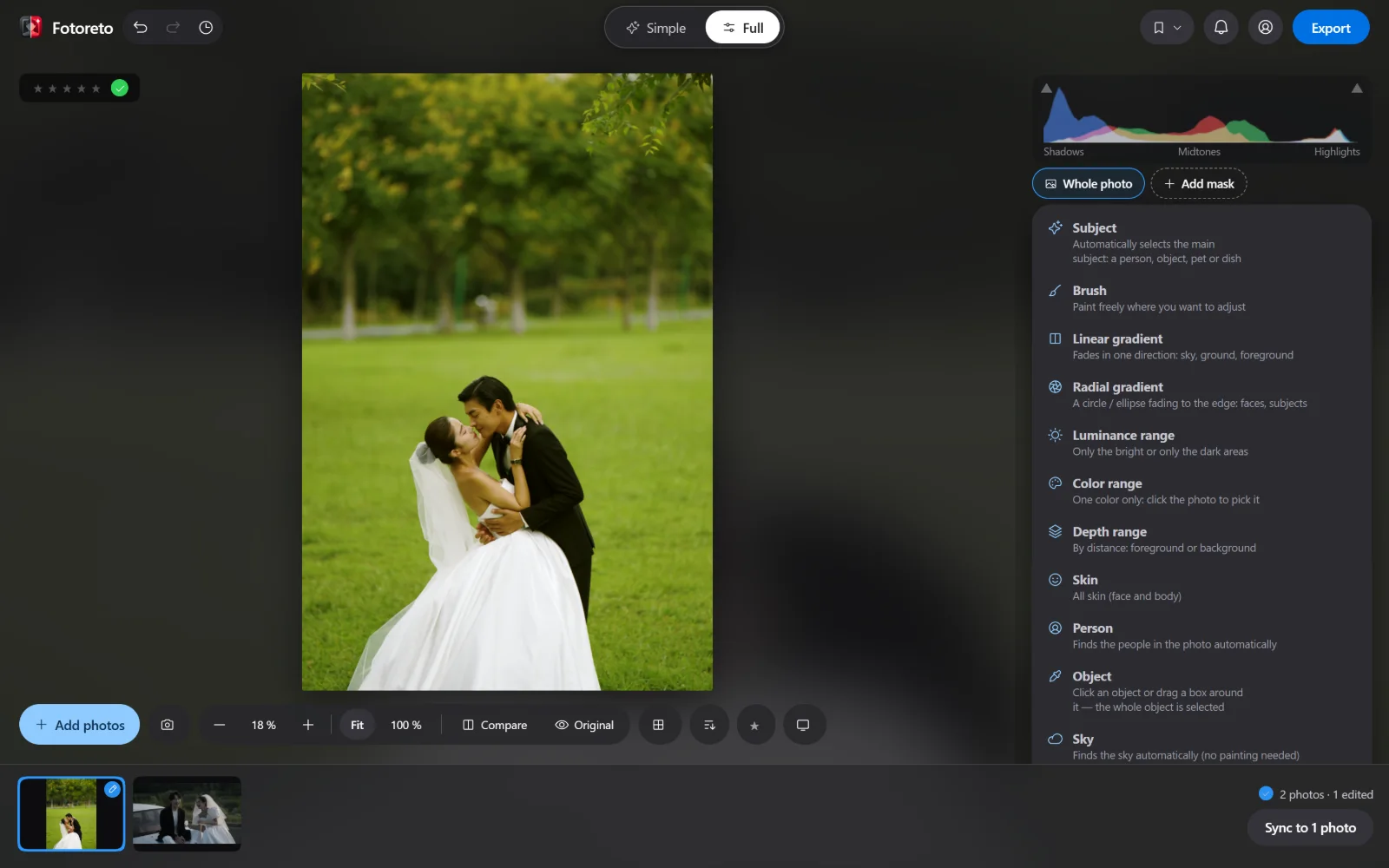
Fotoreto's masks select the subject, background, person, hair, facial skin, body skin, clothes, lips, teeth, eyebrows, eye whites, irises, sky and any object you click. They are included in the free plan, and the AI models run on your device: the photo goes nowhere.
Portrait retouching Lightroom doesn't do
Lightroom is mainly a color tool; serious retouching usually means a trip to Photoshop. Fotoreto is made by a retoucher and has the portrait tools built in:
- Remove blemishes automatically, reviewing each spot.
- Smooth skin that keeps pores, even skin tone, brighten eyes, whiten teeth.
- Face shaping, body reshaping, leg lengthening, hair fill (Premium).
- God mode (Master plan): frequency separation, healing and clone brushes, dodge & burn by tonal range with Wacom pressure, Photoshop-style color layers.
Where Lightroom is still stronger
To be fair:
- Long-term library management. Lightroom's catalog, keywords and collections search across years of photos. Fotoreto saves a whole shoot as a
.fotoretoproject to reopen later, but has no library-wide search yet. - The Adobe ecosystem: Photoshop round trips, plugins, cloud sync.
- Brand-new cameras. Adobe usually supports new RAW formats first. If Fotoreto doesn't read a just-released camera yet, convert to DNG with the free Adobe DNG Converter.
Many people keep Lightroom for their archive and use Fotoreto to cull, retouch and deliver fast.
How to switch in 5 minutes
- Open Fotoreto in your browser. No install and no account.
- Drop in a folder of RAW or JPEG photos.
- Import your Lightroom presets (
.xmp), or press Auto and pick one of the 111 looks. - Sync the edit to the whole set.
- Export several sizes in one go.
Pricing
| Plan | Price | Best for |
|---|---|---|
| Free | $0, no account | Up to 10 photos per session, 16-bit RAW, light, color, curves, HSL, masks, skin smoothing |
| Premium | $12.99 / year or $19.99 lifetime | Unlimited photos, culling, full retouching, all 111 looks, Lightroom preset import |
| Master (God mode) | $39.99 / year or $79.99 lifetime | Retouchers: healing and dodge & burn brushes, color layers, scopes, 16-bit TIFF export |
One-time payments. Nothing renews automatically. Full pricing
FAQ
Is there a free Lightroom alternative?
Yes. Fotoreto's free plan needs no account and includes 16-bit RAW, light, color, curves, HSL, AI masks and skin smoothing, up to 10 photos per session.
Is there a Lightroom alternative without a subscription?
Yes. Fotoreto Premium is $19.99 once for lifetime use, or $12.99 for a year. Neither renews automatically.
Can I use my Lightroom presets in Fotoreto?
Yes. Import .xmp and .lrtemplate presets and profiles (Premium), including presets with AI masks.
Does Fotoreto open RAW files?
Yes, RAW files from the major brands (ARW, CR3, NEF, RAF, DNG and more), edited as 16-bit data.
Does it work online, in the browser?
Yes. It runs in Chrome, Edge and Safari, installs like an app, and works offline after the first visit.
Are my photos uploaded to the cloud?
No. Everything, AI masks included, runs on your device.
Keep your style. Drop the subscription.
Try Fotoreto free with your own presets and photos. No account, no card.